What Is Google Preferred Sources? The Reader's Side, Explained
Most write-ups start with the code. This one starts with the person holding the phone, because that's who decides whether any of it works.
Short answer: Preferred Sources is a Google setting where a signed-in reader picks sites they want to see more of. After that, Google leans that reader's Top Stories toward those sites and can put a "preferred" badge on their links, now including AI Overviews and AI Mode. It changes results for that one reader only. Nobody else's Google moves.
What a Reader Actually Does
There are two ways in. A reader can go to Google's source picker on their own and search for a site. Or, far more often, they tap a link or button on a site they already read, which drops them into that same picker with the site already filled in.

Either way it takes about ten seconds:
Signed out? Google asks them to sign in first. Picks are tied to a Google account.
If you use Google's own embeddable button (launched August 20, 2026), the reader lands back on your page when they're done. With a plain link, they finish in Google and come back on their own. That's the only real difference.
What Changes for Them After
Google's own wording is that the reader will see more from the sites they pick. In practice, three places can change:
- Top Stories. When your site has a fresh post that fits what they searched, it's more likely to show for them, with a preferred label.
- AI Overviews and AI Mode. Since May 27, 2026, links to a picked site can carry the same badge inside Google's AI answers. Your site has to be allowed in Search's AI features in Search Console for this part.
- Their own sense of you. A badge next to your name is a little nudge every time. Google says people are about twice as likely to click a source they picked.
It doesn't lock anyone out. Readers still see other sites, and they can unpick you any time in the same picker.
Which Sites Can Be Picked
Google keeps the rules short. A site can be picked if it's a whole domain or subdomain and it publishes fresh content. There's no form to fill out and no fee.
| Address | Can a reader pick it? |
|---|---|
| yoursite.com | Yes |
| news.yoursite.com | Yes, on its own |
| yoursite.com/blog | No. Readers pick yoursite.com |
| platform.com/@you | No. It's a folder on someone else's domain |
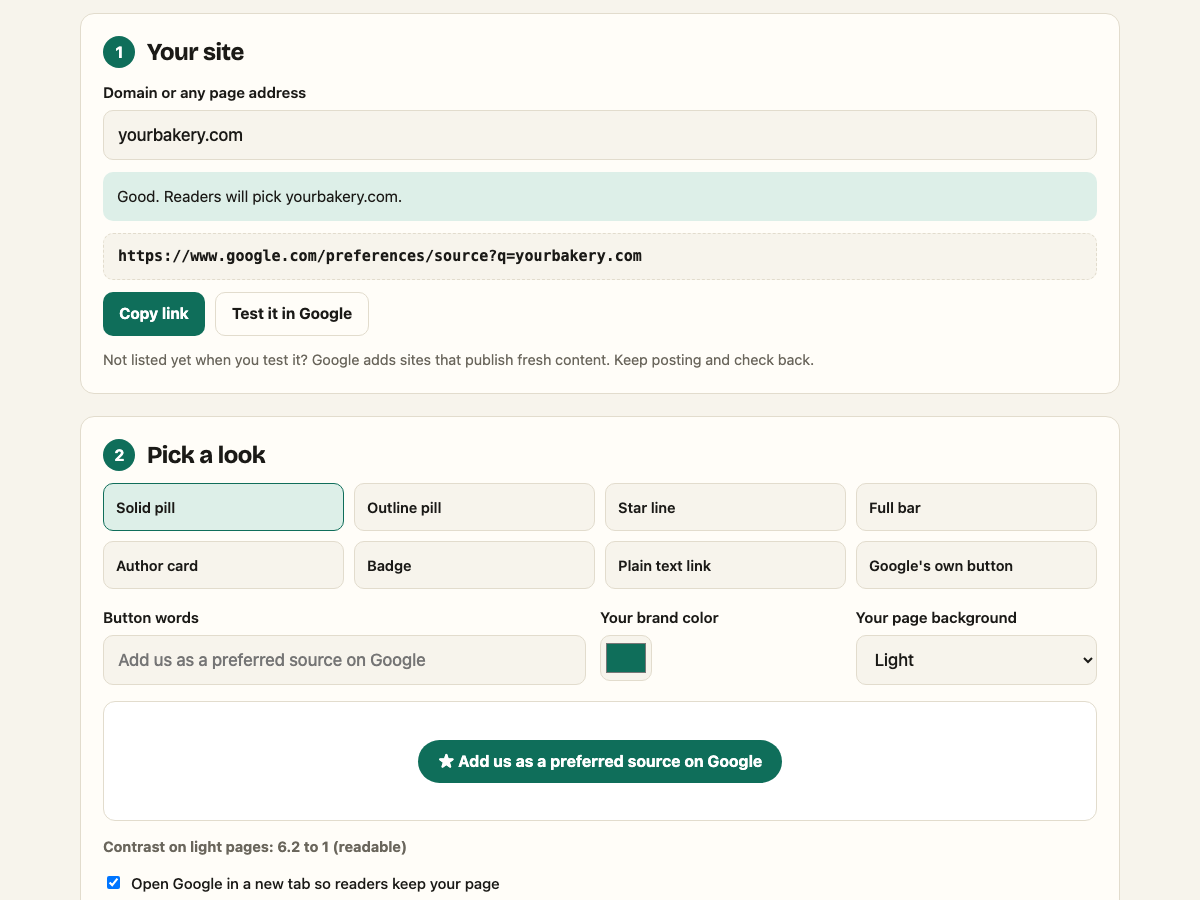
Easiest check: put your domain into the maker on our home page and hit "Test it in Google." If your site comes up in the picker, you're in.
What It Means for Your Kind of Site
This is where most explainers stop being useful, because they assume you run a newsroom. You probably don't.
News sites and magazines
The obvious winners. Top Stories is your home turf, and every reader who picks you tilts it your way. Put the ask on every article.
Niche blogs
If you post about one thing (fishing, guitars, keto, car repair), your readers are the kind who come back. That's exactly who picks a source. Ask under the byline or at the end of your best posts.

Local businesses with a blog
A plumber or a dentist won't hit Top Stories much. The bigger prize here is the badge in AI answers, which is where a lot of "who should I call" searching is going. If you post useful local stuff, it's worth one line on your post template.
Online stores
Product pages aren't news. If your store runs a blog with guides or drops, ask there, not on the checkout. Never put it between a shopper and the buy button.
Software and SaaS
Release notes, guides and research posts all count as fresh content. A changelog that ships weekly is a quiet fit.
Newsletters
If your newsletter lives on your own domain or a subdomain, readers can pick it. Drop the link in your footer. If it lives in a folder on a platform's domain, it can't be picked on its own.
Five Things It Doesn't Do
- It doesn't raise your rankings for everyone. Only the readers who picked you see the lean.
- It doesn't replace being good. Google still has to think your post fits the search. A picked site with nothing fresh shows up nowhere.
- It isn't a sign-up. You don't apply or verify. There's nothing to log in to on your end.
- It doesn't work on folders. A section of a site can't be picked separately. Subdomains can.
- It isn't forever. Readers can unpick you any time in the same picker, so keep giving them a reason to stay.
How to Ask Without Being Weird About It
The ask works best when it reads like part of your page, not a pop-up. A few habits that hold up:
- One ask per page. Under the byline, at the end, or in the author box. Pick one.
- Your words, your colors. "Want more of our posts in Google? Pick us." beats a gray widget every time.
- Readable on a phone. Big enough to tap, and dark enough to read. Our maker shows the contrast as you pick a color.
- On the template. Add it once to your post layout so every new post carries it.
Quick Questions
Do readers need a Google account?
Yes. Picks are saved to the reader's account. Signed out, the link opens a sign-in page first.
How do I know if it's working?
Watch your news and Top Stories clicks in Search Console in the weeks after you add the ask. It moves slowly, one reader at a time.
Should I use www or not?
Use the host your canonical tag uses. If your posts' canonical says yoursite.com, link to that.
Is the link safe to put in emails and social posts?
Yes. Google's docs say the link can go in newsletters, social posts and promos.
Ready to ask your readers? Make your link or button in about a minute, styled for your site.
★ Make yours freeSources
- Google Search Central, "Help your readers find your site through preferred sources in Google Search," updated September 18, 2026.
- Google, "New ways to find your favorite sources and original content in AI Search," May 27, 2026.
- Google, "Personalize the content you see on Search, Discover, and News," August 20, 2026.